
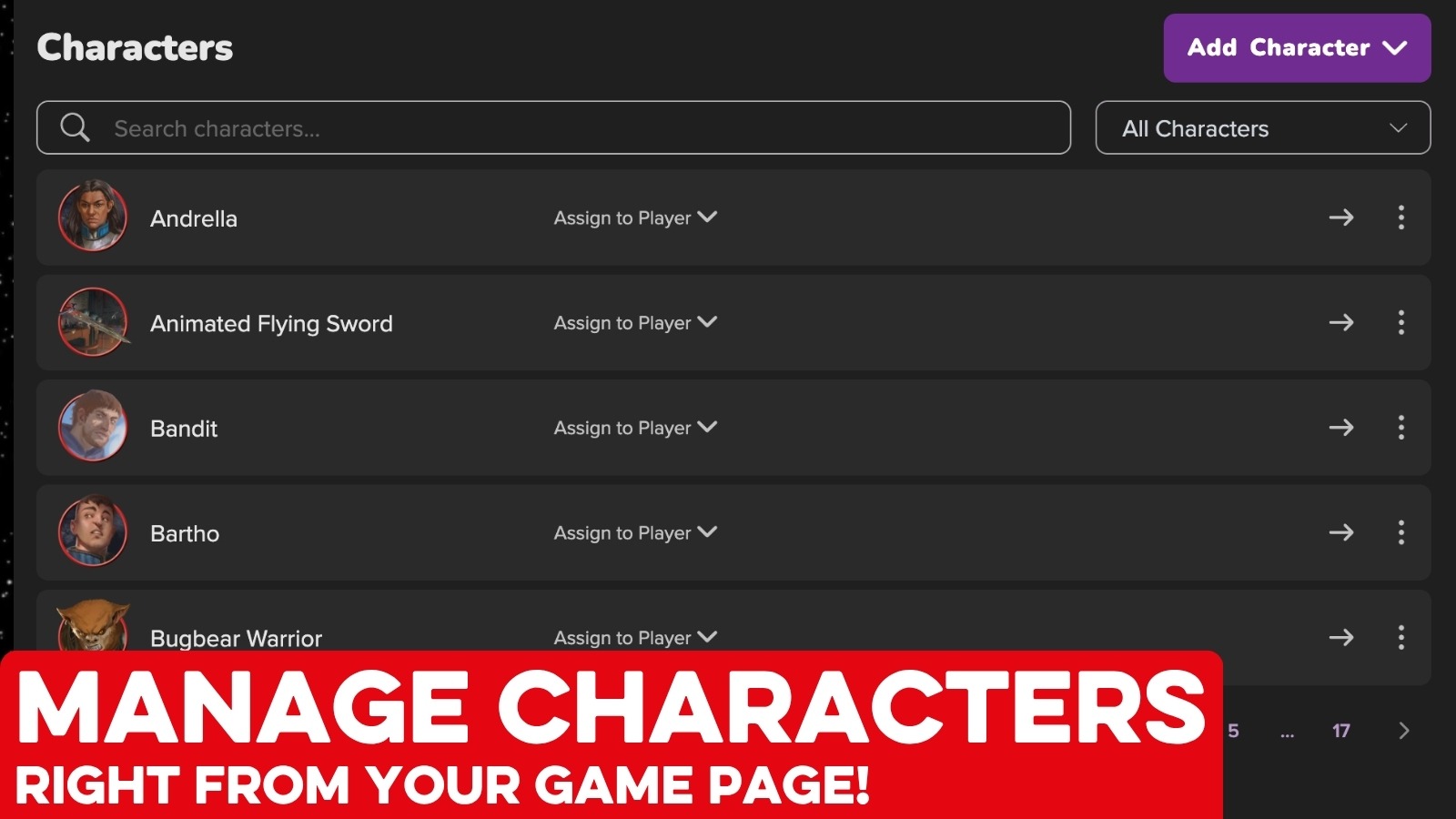

If you’ve ever loaded up a whole game just to update or assign one character sheet.. you don’t have to anymore! You can now manage all of your game’s characters right from the Roll20 Game Details page.
See everyone in one place
When you open your game page every character in the game is listed right there. You can check PCs, NPCs, and even Shop & Treasure sheets without loading a single map.
Assign characters to your players
Not only can you import and create characters right from the Game Page now, GMs can also assign it to anyone in your game and it’ll be waiting for them next time they log in.
Add, fetch, and duplicate
Use Add Character to bring any character you own into the game. For players, if you see a character in the game you need to take over, you can Fetch it and it’s yours. And if you need five slightly different goblins, or a backup of a PC before a risky level-up, just Duplicate it and tweak from there!
Click to go straight to the sheet
Click any character and their sheet opens in Roll20 Characters where you can edit stats, update inventory, level up between sessions (so long as that sheet is supported in Roll20 Characters).
It’s live now for everyone, right on your game page. Try it out and let us know what you think!