

We’ve been shipping nonstop improvements for D&D on Roll20. If you’ve been head-down running your campaign, here are the big upgrades (and a few useful tricks) you absolutely shouldn’t miss!
Homebrew Character Builder

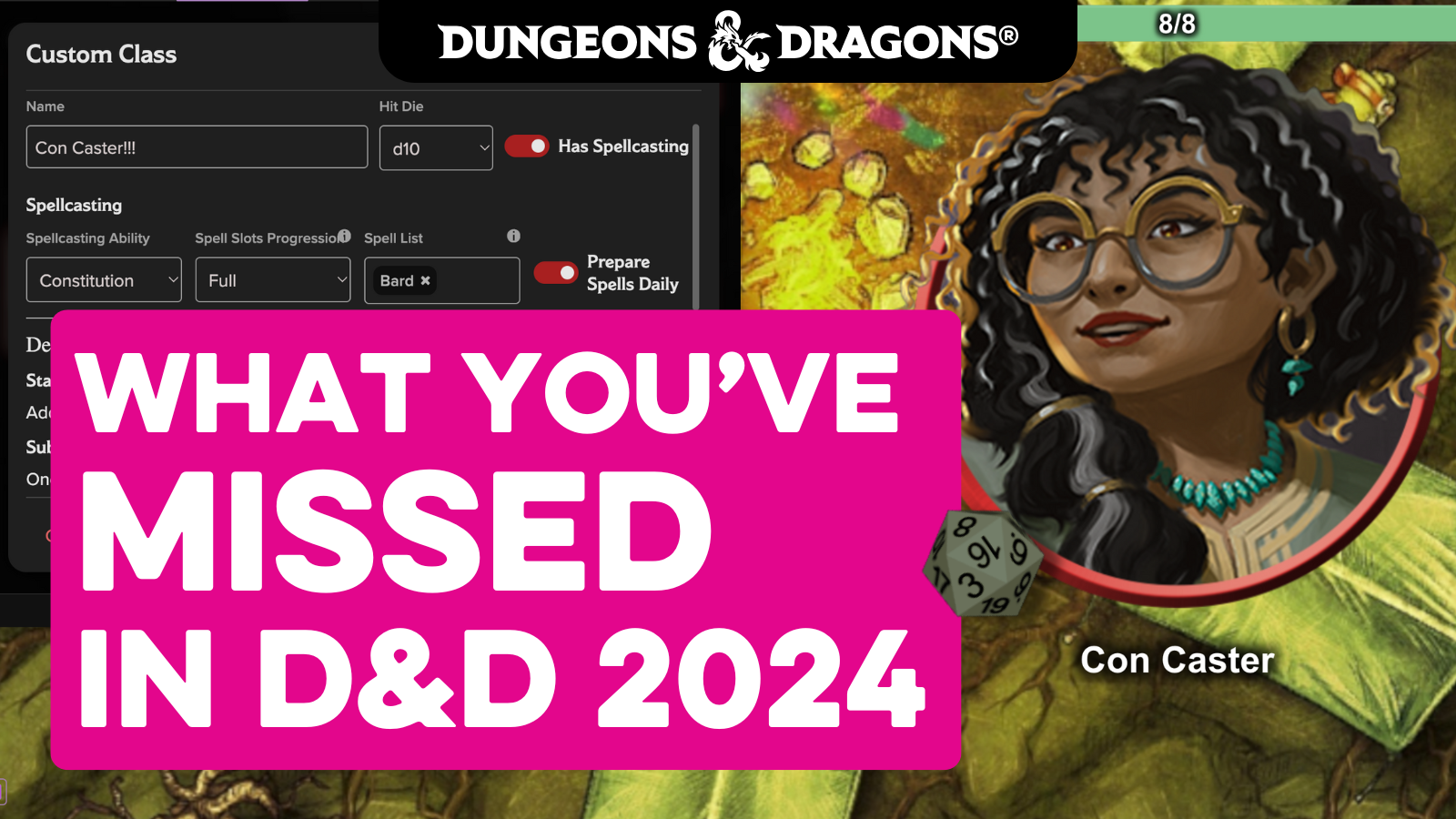
It’s now simple to build your dream characters that function the same as official rules!
On the D&D 2024 Builder, you can now create:
- Custom classes, subclasses, species, and backgrounds
- New features that unlock at predefined levels
- Modifications to stats, proficiencies, resources, and more!
Useful Trick!
Create reusable homebrew character templates!
- Create a new D&D 2024 character (i.e., “[Template] Constitution Caster”).
- Add your homebrew choices.
- Before finishing, right-click the character in your Journal and duplicate it (you can duplicate endlessly).
- Hand that copy to players any time. They’ll drop straight into the Builder with your exact customizations ready to go, and can tweak what they want from there!
One Unlock, More Ways to Play

The D&D Nexus is here, giving you a profoundly better reading experience. If you own a D&D product on Roll20, you now get full access to it on the D&D Nexus. We’re adding more books regularly! Buying D&D on Roll20 gets you:
- VTT Conversion. Pre-built scenes, dynamic lighting, NPC sheets, and automations
- D&D Nexus. Read your full book anywhere (desktop, tablet, or phone)
- Rules Compendium. Searchable rules integrated directly in the Character Builder and VTT.
- Roll20 Characters. Build and manage characters outside the VTT, with full rules integration.
- Art & Token Packs. Instant assets for any game.
Useful Trick!
If you swap between in-person and VTT play, the D&D Nexus + Roll20 Characters combo is unbeatable. Read your books in the D&D Nexus, build your characters in the VTT, then export them to Roll20 Characters for offline play. Your rules and characters follow you everywhere!
Put Your Sheet Away and Get Immersed!

The D&D 2024 sheet now supports Macros and Token Actions, letting you fire off attacks, skills, spells, and saves without ever opening your character sheet. Adding these automations is now simple.
- Open your D&D 2024 sheet.
- For abilities and skills, click the gear icon → Add to Token Bar.
- For attacks, spells, and actions, click the info/edit icon → three dots → Add Action to Token Bar.
Next time you select your token, your new buttons appear instantly at the top of your screen.
Useful Trick!
Want to add some custom style? Shift-click any macro button to edit it. Add some flavor text, gifs, effects, or custom commands. It’s an easy way to personalize your actions! For instance, add the line
/fx explode-bloodto the bottom of your macro, and it will trigger a big red explosion!
Exclusive Content: DMsGuild on Roll20

Did you know that many titles from DMsGuild are integrated directly into Roll20!? This gives you front-of-the-line access to some of the most popular community-created content from the best creators out there.
The Tactician class from the bestselling Drizzt’s Travelogue of Everything Vol. 1 is now updated for the 2024 rules! An Intelligence-based martial support class, the Tactician is included for free in the D&D 2024 Free Basic Rules on Roll20.
Exploring Eberron by Keith Baker. The creator of Eberron returns with a DMsGuild exclusive, giving us a tour (and adventure) through the lands, oceans, and planes of Eberron! The adventure, rules, and lore are all directly integrated into Roll20 for you to play immediately!
Forgotten Realms Battlemaps by Heroic Maps. Claim a free sample here, and purchase a trove of maps that unlock directly in the VTT to flesh out your latest Faerun experience.
Simple Character Sheets

We heard you loud and clear that you wanted concise information!
We’ve added two major improvements that make managing characters dramatically easier.
NPC Stat Block View. A clean, minimal layout built for speed. No modals or clutter.
PC Sheet UI Improvements. We went through and made dozens of quality-of-life improvements, making it easier and quicker to find what you need with search bars and better overall designs.
PC Inline Editing (coming very soon). You’ll be able to click any number on your character sheet and edit it right there. No more modals. Perfect for quickly tweaking AC, skills, inventory, etc.
Useful Trick!
If you quickly need multiple copies of an NPC, just copy/paste the token directly on the VTT. If its health bar is connected to the sheet, you can detach it quickly so each token can act independently.
- Right-click the token → Edit
- Go to Bar 1 / Bar 2 / Bar 3
- Remove the attribute link (HP, AC, whatever it’s tied to)
Each copy now has its own HP bubble without affecting the others, perfect for when a kobold calls for backup!
Sheets for Every Occasion

Different campaigns need different tools, and we’ve rolled out specialized sheets built for two huge D&D 2024 systems: treasure and base building.
Loot Manager (early access). Instead of having your players navigate boring lists, you can now generate shop and treasure sheets! Generate ships instantly with items from your Rules Compendium, or edit and create your own.
Bastion Sheet. A dedicated sheet for D&D 2024’s new Bastion system, to keep track of all your base building progress!
Code Your Own Experience

D&D 2024 now works with a growing library of Mod Scripts. These tools let you automate advanced functions, batch-update characters, run group rolls, manage conditions, and streamline encounters in ways Roll20 doesn’t offer out of the box.
Currently Supported for D&D 2024:
- Group Initiative. Roll initiative for all selected tokens at once.
- Group Check. Run mass saving throws or skill checks with one click.
- Concentration. Automatically handles concentration tracking and check reminders.
- 5E Resting in Style. Automates long and short rests without human error.
- Welcome Package. Auto-creates a character for new players when they join your game.
- CombatTracker. Manage turn order, timers, conditions, and round flow.
- Character Sheet Utils. Utility functions for manipulating character data.
Up Next:
- ChatSetAttr (coming very soon) This script lets you create, modify, and delete character attributes via chat commands, enabling tons of advanced automation setups.
- On the Horizon: More mod script compatibility and support is rolling out as fast as possible
That’s Not All!
This is only a part of what we’ve delivered, and what you can do! From updated spell lists to custom sorting to unique filters, there’s so many features and improvements waiting for you.
And we’re still just getting started. You can see our most up to date roadmap, and we’re always listening to what you want us to develop next, so please feel free to join us in discord, reddit, forums, or social media!