
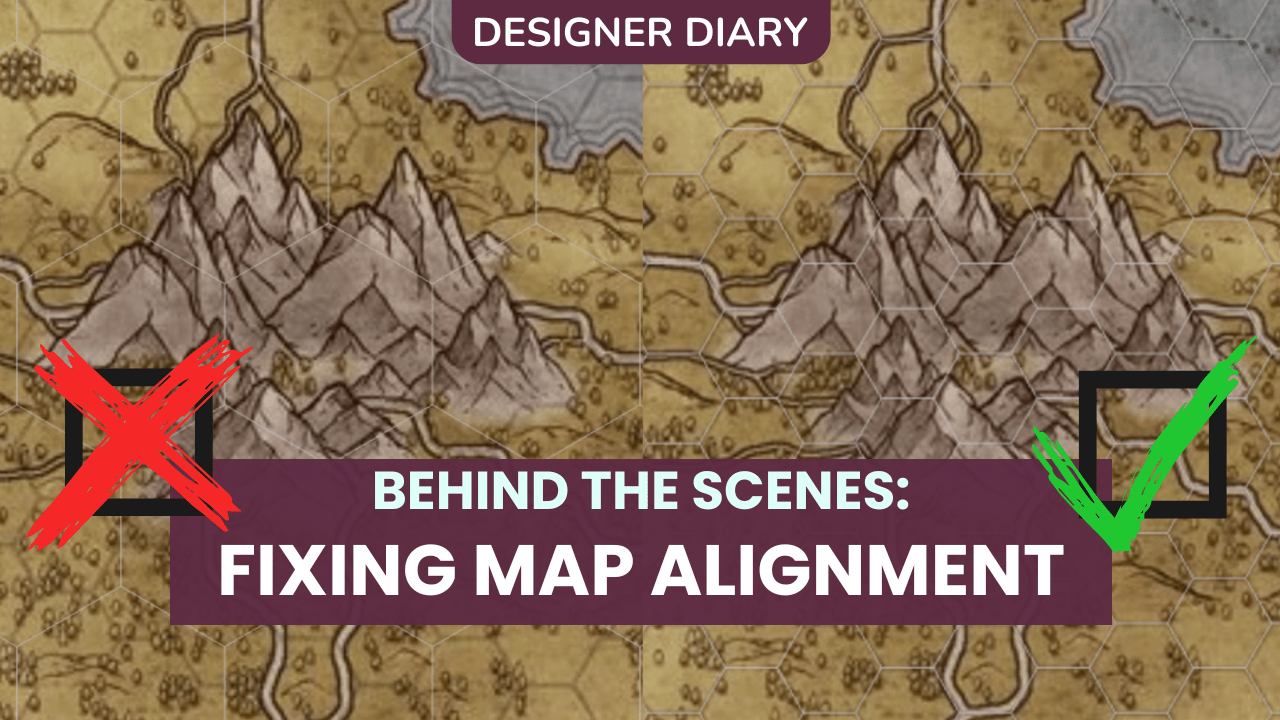
Hey everyone, it’s Fran, Roll20’s Senior Product Designer. Back in July, we announced the redesign of the virtual tabletop’s map alignment tool. Today, I’m going to share how we’ve been approaching this project behind the scenes and offer a preview of what to expect when our beta launches in the next week or two!
A small note before we dive in: the teams behind our Compendium service and the D&D 5E Character Sheet have also been hard at work making the tabletop more stable. Check out our latest update here, and keep an eye out for another one coming later this week with more progress!
Recap: Why are we doing this?
If you’ve ever looked for help aligning a map to the VTT grid, you’ve probably found advice along the lines of, “Turn your grid bright pink, crank up the opacity, and hope you get lucky!” These workarounds, commonly mentioned in our forums, on Reddit, and even in community tutorial videos, do mostly work… but plenty of GMs would rather avoid the tool altogether than use it in its current state. As it stands, there are several types of map that are impossible to get perfectly aligned with the tools available.

Imagine your map has a 70px grid baked into the artwork, matching our default cell size, but the artist added a 25px border around it. With the current tool, and our grid always starting in the top left with only complete cells, the only way to use that map is to force the border to hang off the page. Plenty of maps sourced online have unevenly spaced lines to begin with, or use non-square grids, neither of which play nice with things the way they stand now.
What to expect during beta
Following the community-led design model of other recent VTT feature releases, we’ll be seeking your feedback throughout our open beta to make sure the new process works the best it can for the most people possible. While the existing tool will remain accessible until the beta concludes, the new free-for-everyone tool will include:
- A 3-step process that addresses common issues like drift, borders, and offset grids
- Support for square, isometric, dimetric, and hex grids
- Multiple modes of adjustment available at every step (keyboard, drag, and click)
- Handling for objects already placed on a page (tokens, Dynamic Lighting, and Map Pins)
- A brand-new hotbar with quick access to Align to Grid and other tools to configure your backgrounds and maps
- A tool to scale map layer objects that don’t ‘fit’ to the grid (including map tiles)
How will it work?
The new alignment process is straightforward and guided; once you place an anchor point on your map, you’ll visually match the map image to the VTT grid, then fix up any drift and fine-tune the alignment. That’s it! Three steps and little fuss… plus, you can go back at any time throughout the process without starting completely from scratch.
Once aligned, we’ll resize your page to fit the map exactly, and lock everything in place so you don’t unintentionally shift it during a session.
Today, Align to Grid can be found by right-clicking, then navigating to Advanced > Align to Grid. You basically have to already know it exists to find it. To make it easier to find and use, we’ve designed a small hotbar that appears on the map layer, where alignment, background, grid, and page settings will all live in one place, easier to access than scattered across multiple menus.

Originally considered during our toolbar uplift a couple of years ago, this concept was very well-received but too difficult to incorporate on the legacy tabletop. Thanks to the work the devs have put into the 2025 VTT engine rebuild, we can move much faster and build more than possible before!
Our Design Process
We couldn’t design the new process as a static mockup, since alignment depends on the map, the tabletop, and human input. Our prototypes addressed scenarios such as whether a drag feels controllable, and whether snapping to the nearest intersection mid-drag helps alignment or gets in the way.
Since our current tool has a black box problem (you make decisions and get an output, but the middle is a mystery), I designed the new flow to feel more intuitive and guide GMs through every step in the process. Then, our developers dug into the math to make our dream a reality!

We built a series of functioning prototypes, each beginning with my step-by-step visual and interaction designs as a starting point that ensured visibility on various backgrounds, multiple input methods, smooth interactions, and an approachable and easy alignment process. From those designs, our developers built while testing hundreds of maps, including those we’d never succeeded with before: offset, stretched, hex maps with bad math, etc.
From there, we focused on making the math reliable across every grid type, and making sure it worked on pages that already had tokens, Dynamic Lighting, and Map Pins in place.
We began sharing our research and early demos this April across the company, with our trusted Forum Champions and ambassadors, and with the community via our Discord Labs program, which gives members of our server early access to see and provide feedback on upcoming features. Join our server to attend future sessions!
What’s Next?
We’ll post again as soon as the new tool launches, and can’t wait to hear what you think! Want to check out what other teams are up to? See our Public Roadmap.
Art in this blog features creations by Zaden Brewer, Stelliadi, BradieBunches, JamesRPGArt, Heroic Maps, and Northern Cartography; check them out for your campaign needs. Thank you for making our games look amazing!